Built for Gyms. Every Feature Earns Its Place.
Built for gym owners - not repurposed factory maintenance software. Here's what's included.
66 features across 12 categories. Pick a category to explore:
Frictionless Issue Reporting
3 taps. No app. No login.
Every tag is tied to a specific machine, so reports include full context automatically.
Members scan with their phone camera. No app, no login, no barriers.
See exactly what's wrong without leaving your desk.
Members flag existing issues instead of duplicating. You see how many are affected.
No account required, with spam protection. Members report honestly without hesitation.
Members can opt in to get an email when their issue is fixed. No account needed, just an email address.
Post "Part on order — fix Friday" and members see it next time they scan. Reduces "is this being fixed?" questions before they're asked.
Built-In Content Moderation
AI screening that knows gym talk from spam.
Every report with a description runs through a content filter before it appears on the scan page. Catches abuse and spam without slowing down legitimate reports.
"This treadmill is garbage" is a valid equipment complaint. The filter knows the difference between frustrated members and actual abuse.
Political content, advertisements, and spam are automatically caught and hidden from the public view.
Flagged reports appear in your dashboard for one-click approve or reject. You stay in control.
If the screening system is temporarily unavailable, reports still go through. Member safety always comes first.
No personal data is collected. Members report honestly without hesitation or fear of judgment.
Equipment Intelligence
Full context for every report.
Name, type, location, manufacturer, model. Full context for every report.
Floor, zone, and area fields. "Treadmill 3, Cardio Zone, 2nd Floor." No ambiguity.
See at a glance what's in service, reported, or out of service.
Every issue is tracked against the equipment it's reported on. Over time, you see which machines generate the most reports.
Post messages members see when they scan. Communicate proactively.
Duplicate an existing equipment record to add identical machines in seconds. Name, type, manufacturer, and placement pre-fill from the source.
Link multiple QR tags to the same machine. Useful for large or multi-station equipment members might approach from different sides.
AI-Powered Setup
Snap a photo. Skip the data entry.
Take a photo during setup. AI reads the brand logo, model number, and spec plate to pre-fill the equipment record. Ten machines becomes ten photos, not ten data-entry forms.
Every piece of equipment gets a clean, studio-style product image generated automatically. No catalog photos to track down. Members see professional images on the scan page.
AI fields are suppressed when the model isn't sure. You get a blank field instead of a plausible-but-wrong model number. Trust what the AI tells you.
Your Dashboard
Every issue, one screen.
New issues appear on your dashboard as soon as they're submitted. Filter by status, severity, location, or equipment type to find what matters first.
Safety tickets always surface first. Critical risks never get buried.
New, In Progress, Resolved, Closed. Everyone sees progress at a glance.
Coordinate with your team without cluttering the member view.
When a member reports a safety hazard, you get an immediate email notification. Critical issues never wait.
Select multiple issues and update their status at once. Triage faster on busy days.
Create linked follow-up issues for problems that recur after resolution. Full traceability.
Reopen a resolved issue within 24 hours if the fix didn't hold. After the window, follow-up issues keep the audit trail clean.
Fix typos or sanitize a flagged description directly on the issue. The original text is preserved in the audit trail.
Each team member chooses which severity levels trigger their email alerts. Owners get safety; managers can opt in to more.
Built for Teams of Any Size
No per-user fees. No complexity.
Owner, Manager, and Staff roles with appropriate permissions. No per-user fees.
Managers see only their gym. Multi-location teams stay focused.
Analytics
Trends, resolution times, problem equipment.
Open issues, safety count, weekly volume, and average resolution time. The numbers that tell you whether things are getting better or worse.
See which machines are active, which have open issues, and which are offline. Spot your most-reported equipment types at a glance.
Total reports, upvote activity, photo attachment rate, and active tag count. Understand how your members use the system.
Your top 5 most-reported machines, ranked by open issue count. Know which equipment needs attention before it becomes a pattern.
Side-by-side metrics across locations. See which gym resolves issues fastest and where problems cluster.
Download equipment lists and issue data as CSV files. Use the data in your own reports or share it with your team.
Security & Privacy Built In
By architecture, not policy.
Your data is completely separate from every other gym, enforced at the database level. Not by policy, by architecture.
Member reporting is anonymous. No cookies, no tracking, no personally identifiable information stored.
Every status change is logged with who did it, what changed, and when. Complete accountability.
Data access is scoped by role and assigned location. Managers see only their site; staff see read-only. Enforced at the database, not in the app layer.
All data encrypted via HTTPS. Hosted on Supabase with row-level security and database-level access controls.
Scale Without Complexity
All locations. One dashboard.
All locations in one view. No logging in and out.
Zoom into one gym or see everything at once.
Give staff access to one site or all of them.
Gear Tags Built for Gyms
Durable. Unique. Ready to apply.
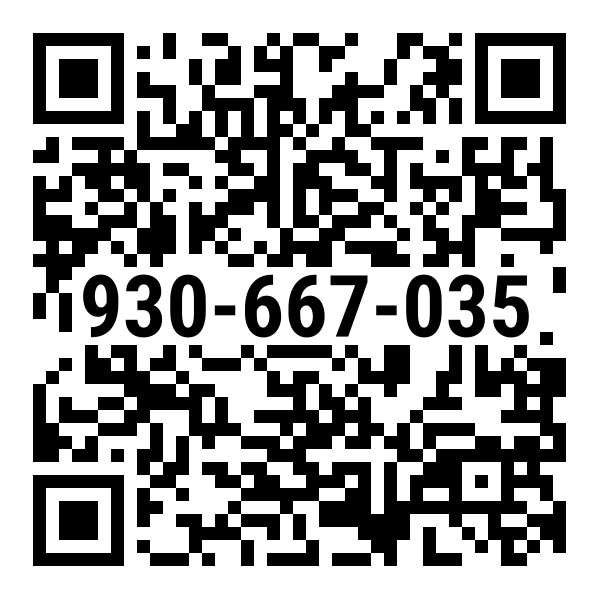
This is a real Gear Tag. Scan it or click to try the demo.
Designed to handle sweat, cleaning, and daily wear.
Options to fit treadmills and dumbbells alike.
Order a starter kit sized to your facility. We ship pre-assembled tags ready to apply. Replacement tags available anytime.
Every tag has its own ID with built-in error checking.
Every Gear Tag has both a scannable QR code and a printed display code (XXX-XXX-XXX). Staff can identify equipment by the display code without scanning. Both codes link to the same equipment record.
Easy to replace and reconfigure tags if damaged or lost.
Areas & Zones
Organize equipment by zone. Let members report area-wide issues.
Areas live in their own catalog. Create zones (locker rooms, cardio floors, studios) before you ever activate a tag. Use them to organize your equipment by zone.
Assign equipment to an area and it picks up the floor and room/zone automatically. No more updating placement on every machine when a layout changes.
Post zone-level alerts (cleaning in progress, temporary closure). Every alert is preserved as a record, not just the latest one.
Place an Area Tag in a locker room, pool area, or group fitness studio. Members scan to report cleanliness, maintenance, or supply issues for the whole zone.
Members pick from Cleanliness, Maintenance, Supply Needed, or Safety Hazard. You see the category on every report, so you route it to the right person.
Pin up to 30 nearby machines on each Area Tag. Members tap a specific machine to report on it directly, or report a general area issue instead. Both options in one scan.
Area reports appear alongside equipment reports. Same filters, same status workflow, same team assignments.
Out-of-Order Signs
Let members know what's happening.
Reusable signs with built-in QR codes. Link a sign to broken equipment. Members scan to see what's wrong and when it's expected back.
Mark equipment out of service from your dashboard. When you restore it, linked OOO signs automatically unlink and go back into your sign pool.
Link signs by scanning the QR, entering the display code, or searching equipment by name. When the machine is fixed, unlink the sign and use it on the next one.
Members who scan a linked OOO sign see the equipment name and any open issues. Members who scan an unlinked sign see a clear "not currently in use" message.
See It For Yourself
The best way to understand FixTag is to try it. Scan a real Gear Tag, report an issue, see the dashboard. Takes about a minute.
Try the Live Demo or contact us